
Stream Ableton to Discord, Free
Short answer, and it costs nothing:macOS cannot route one application’s audio into another, so Ableton or Serato has to leave through your interface’s loopback — or a free virtual device like BlackHole — into a bridge app, then into a virtual cable that Discord reads as a microphone. Two things most guides miss: turn Discord’s voice processing off first, because its noise suppression treats music as noise, and put a limiter on the signal before it leaves, because a clipped live stream cannot be fixed afterwards.
The long version, in six steps, with the reason for each.
↓ loopback
Audio Bridge + VOID//HEART CORE
↓ VB-Cable
Discord
Stop Discord destroying the music
- Voice Processing → Custom
- Every toggle under it → Off
- Input Mode → Voice Activity, sensitivity by hand
Get the audio out of macOS
- Interface with loopback → use it
- No loopback → BlackHole (free)
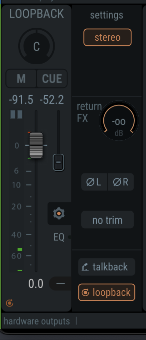
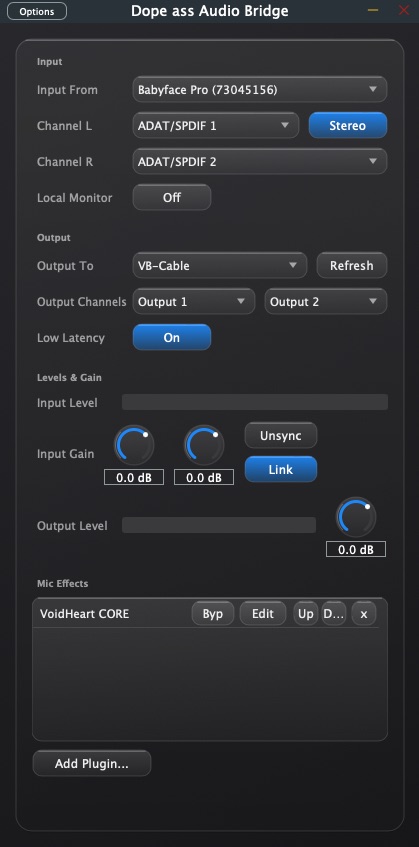
Point the bridge at it
- Input From → interface or BlackHole
- Channel L / R → the loopback pair
- Output To → VB-Cable
- Low Latency → On
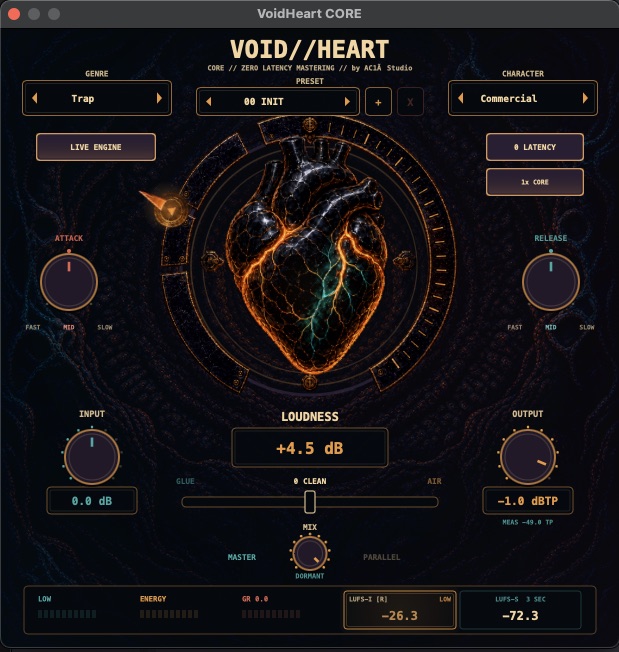
Put a ceiling on it
- Mic Effects → Add Plugin → VOID//HEART CORE
- Output ceiling → -1.0 dBTP
Get your monitoring back
- Hardware loopback → nothing to do
- Virtual device → Local Monitor: On
- Performing? → hardware loopback, it leaves monitoring alone
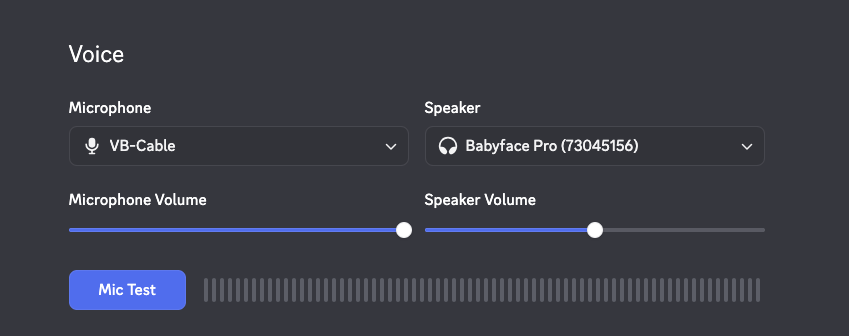
Point Discord at the bridge
- Microphone → VB-Cable
- Speaker → your interface
OBS instead? Identical until the last step: add an Audio Output Capture source and pick VB-Cable. OBS filters accept VST 2.x only, so limiting has to happen before the bridge anyway.
Not solved by this chain: microphone ducking, separate monitor and broadcast mixes, and Windows routing — CORE runs on Windows, Audio Bridge does not.
Download free
Dope Ass Audio BridgeRouting, plugin host, local monitoring. macOS.
VOID//HEART COREZero-latency limiter with a true-peak ceiling. macOS and Windows.
This is the rig I stream on: Ableton and a DJ setup into a Babyface Pro, TotalMix loopback into the bridge, CORE holding the ceiling, MPC over the top.